[ReviewAZON asin=”B003CYLN0C” display=”fullpost”]
Tag: ERP Software
ERP Social Media Trends
An interesting discussion on ERP social media was raised on a webinar the other day. The topic of the discussion was how companies are building out their knowledge bases for their constituent communities. Specifically, how do you share captured knowledge to people external to an organization?
This lead to a discussion of the methods of communication that people use now. These methods, as you know, are typically through portals, email, and more-and-more are focusing on social media, such as Facebook and Twitter.
Most 18-year-olds today do not use the phone. Rather the prefer to only use text or Instant Message (IM) as their way of communicating. Customer service and help desks need to accomidate these new technologies. ERP and CRM tools needs to evolve to support the move towards social media as a communication channel. There is suddenly a wave to move towards a socialization of business communication, as well as business to consumer messaging.
ERP Social Media is happening now
There are now cases where entire companies are losing their email system in support of a social media style of communication. It is instant, open, secure, and adds value beyond traditional email. Can you imagine email being called a legacy application? Well it is becoming one.

Software such as Salesforce.com (a cloud based CRM) is now focusing heavily in social media as the conduit for business communications. Their Chatter tool is a secure, internally facing, twitter-like application that provides instant user communication and notification on key business events from data updates. Users can choose who and what to follow.
Businesses are moving to ERP Social Media tools. Companies such as Bank of America are using twitter as a support desk tool, with twitter feeding their case management solution and replies posted on the case show up as direct messages to the twitter user. This is one example of how public and ERP social media tools are merging together.
With the use of open APIs (interfaces), Twitter, Facebook, Linkedin, and other types of ERP based applications can be merged with ERP Social Media.
For example, an HR department could use Linkedin as a direct source for their candidate recruitment efforts and pull date directly into their HRMIS solution.
Moving from Legacy to ERP Social Media
With most mainstream ERP software solutions, the source of the data is human data input. EDI, once the method of electronic communications to a Purchasing system are so out of date, yet persistently remain. Eventually we may likely see it evolve to some sort of XML SOAP message initiated by a user perhaps even in the form of a Tweet.
Most output is in the forms of reports or perhaps an email to a user. ERP business systems will need to be udpated to include posting a tweet or a similar ERP Social Media message to notify users of business events.
ERP solutions need to quickly move to this new messaging format. Most traditional ERP systems do not use text messages as a data source, much less even a Twitter post.
This needs to change quickly to support the next generation of students and users. Kids entering college will graduate in four short years. When they enter the workplace, they will find creative ways to make ERP Social Media work for them, with or without the support of the ERP software vendors.
We welcome your comments on this topic as it will soon become a real issue in enterprise business software.
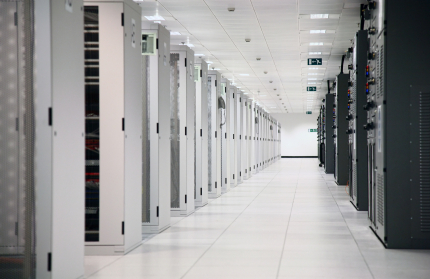
Open Source ERP or Managed Services? Finding the right solution for your business needs
Enterprise Resource Planning (ERP) software is an essential component for any businesses, irrespective of the size or industry. An ERP solution enables a business to automate, integrate, and streamline business processes, thereby making operations more efficient. A business may choose to implement either an Open Source ERP or go with a managed services provider, depending on the resources that are at their disposal.
Below is a brief comparison showing the pros and cons of the two options.
The Pros of Open Source ERP vs. Managed ERP Services
Accessibility:
Open Source ERP software is easily accessible, since you can download from the internet, at no cost. For this reason, even the small and medium sized business that had no access previously, have a chance to try out ERP software.

Commercial ERP software must be purchased from the vendor. The vendor will then issue licenses and terms for its use, normally forbidding any form of distribution. For this reason, the software is only made available to those companies that are able to pay, in order to use it.
Cost:
Open source ERP software is available online, free of charge. Therefore, no acquisition, implementation, or licensing costs are necessary. In addition, the developers or third parties make every effort to have documentation and training tutorials, which users can download and use for implementing the system, as well as training their employees. However, third parties may charge a small fee, in order to access their documentation and tutorials.
On the other hand, managed ERP services are quite costly, thus making them out of reach for most small and medium-sized enterprises. Some of these costs include the software acquisition costs, licensing costs, employee training costs, and professional fees.
Scalability:
Open Source ERP is scalable. For this reason, the solution caters for the needs of both small and medium businesses, as well as large enterprises.
Commercial ERP solutions, on the other hand, are designed with the large businesses in mind. Therefore, they will tend to be more complex and have features that cannot be implemented or be applicable for the small business.
Flexibility:
With Open Source software, everyone has access to the source code. In addition, anyone has the right to modify or tamper with the code, provided it is done in accordance with the software agreement. As such, a business has the opportunity to implement some features, or customize the system to meet individual needs of the business.
Commercial ERP software does not allow for any modifications. The license agreement strictly prohibits tampering with the code, and gives all the rights to the respective vendors. Therefore, the vendor must be contacted to undertake any modifications that may be required.
The Cons of Open Source ERP vs. Managed ERP Services
Support:
The greatest disadvantage of using Open Source ERP is the fact that the business has to independently, manage its ERP system. Therefore, no technical or professional support is available. As such, a business is forced to manage, backup, and even troubleshoot their system. In extreme cases, a business might need to hire the services of a competent professional to manage the system internally.
With managed services, the business gets to enjoy various additional services from the vendor. These services may include hosting, backup and recovery, troubleshooting, and regular updates.
Features:
In as much as the developers of Open Source ERP will make every effort to include all the major features that are found in the commercial ERP systems, it is common to find some important features missing. Usually, Open Source software is developed, as a result team effort, relying on the input of volunteers with specialized skill in the various areas involved. Therefore, lack of such skilled personnel results in certain features being left out. Apart from this, the funds that are required to develop and test some the features may lack.
On the other hand, companies that have sufficient resources, in terms of funds and skilled manpower, develop the commercially managed systems. This ensures that all the required features are included.
Overall, the Open Source ERP system has its advantages and disadvantages over the managed service. However, the fact that the commercial solution is out of reach for many small and medium-sized businesses makes the Open Source ERP a viable solution to streamline their business processes.
Made2Manage ERP Software Review

For many years we have run across Made2Manage ERP software. Its longevity is a testimonial to its ability to deliver value in many manufacturing companies. Manufacturers around the world use this program. It is ideal in a small to mid-sized organization. Let’s look a little deeper how Made2Manage ERP Software.
Developed to help optimize business processes for companies within mixed mode environments, Made2Manage ERP is a very best fit intended for small and medium-sized firms engaged in industrial machines, electronic devices, and manufacturing. The program can be deployed and leveraged by organizations working concurrently together with make-to-order, make-to-stock, and engineer-to-order procedures.
Made2Manage ERP Software Value
Scheduling and planning, actual costing, shop floor management and tracking features, and intergrated , with SolidWorks are all significant components of the system. Setup possibilities are abundant with Made2Manage at the same time, allowing for strong versatility. Integration with SolidWorks and Microsoft Outlook is an additional benefit of Made2Manage. The system can ship from work in process and deliver complete business intelligence reports with the choice to drill down to specific situational data.
Made2Manage ERP is powerful, including various other benefit with it support for customer relationship management (CRM) and client communication, whiteboards for scheduling, the bill of material constructing abilities, and item master maintenance functions. Customers of Made2Manage can substantially increase the visibility they’ve got over enterprise operations by utilizing this software along with materials management, manufacturing management, and financial accounting.
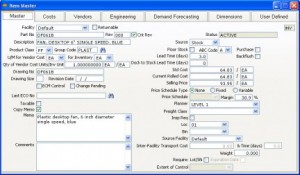
Traditional workflow processes are also provided, such as job orders, General Ledger, quality control, and shipping/receiving. Made2Manage has been used by companies to maximize profits, increase agility, and maintain customer satisfaction for approximately 20 years. The program is meant to coordinate all business functions within the firm. Made2Manage is continually being enhanced regarding customer feedback and requests. Various consulting, IT and business services are offered to customers of Made2Manage.
Getting More information on Made2Manage ERP Software
If you would like more information on the Made2Manage ERP Software, please visit Software Advice to learn more and to arrange a no-obligation demo or get a price quote.
Home
File as: Made2Manage
Patriot Pay – Small Business Payroll Software Review
About Patriot Pay, the Small Business Payroll Software

Patriot Pay Small Business Payroll Software is specifically for small to medium sized companies who are searching for a Small Business Payroll management software that allows them free up their time to do more important things, such as running their business. Often these smaller business have only the option of using a complicated payroll program in-house, or out-sourcing to a payroll service that charges them like they have the big corporate budget.
Many small business cannot afford the time to do everything themselves or the budget to hire a service.
-
Patriot Pay Small Business Payroll Software
is easy-to-implement and very affordable, yet sufficiently flexible to meet the requirements of businesses who need simplified detailed payroll management and even tax filing services. It fills the gap between complicated do-it-yourself and the payroll service companies.
Patriot Pay’s biggest feature is that it is online and is priced specifically with the small business in mind. By being an online software, you do not need to install anything, it is always current, and you can access it from any internet connected computer.
Try Patriot Pay Small Business Payroll Software for Free!
Patriot Pay Small Business Payroll Software is used in just about all industries by all sorts of businesses. It is ideal for the small sole-proprietor business or even a small corporation. The software offers extensive training and support resources through its training videos, and online tutorials and more.
Video review of Patriot Pay Small Business Payroll Software
Try Patriot Pay Small Business Payroll Software for Free!
Getting More Information on Patriot Pay Small Business Payroll Software
Try Patriot Pay Small Business Payroll Software for Free!
Click below to:

Related Resources
Here are some links to help you with Patriot Pay Small Business Payroll Software:
File as: Payroll Software.


Free Up Cash in a Small Business with Technology: From Invoicing Software to Inventory Management Software
Free Up Cash in a Small Business using Technology
How to free up cash in your small business? If you own a small business, you have to juggle all sorts of things to properly manage your company’s cash flow. You may feel particularly strained if your company makes a profit, but you still don’t have enough cash freed up to pay your dues on time. Fortunately, you can develop an effective system of software and technology including inventory management software to help you work cash flow in your company’s favor.
If you want to free up cash and before you invest in any software, you should get to know your cash conversion cycle pretty well. The cash conversion cycle measures the duration it takes for your company to turn money spent on inventory, production, and sales efforts into actual cash. The cycle comes to an end when you have collected money from customers and have used that money to pay for all your business related obligations. Calculating how many days your cash conversion cycle lasts is very beneficial. Doing so allows you to start coming up with ways to speed up the cycle and get more cash flowing into your company quicker.
Free up Cash with your Receivables Management
Once you have calculated your company’s cash conversion cycle, you are ready to start evaluating your accounts receivable practices. You need to get your customers to pay you on time, before it’s time to pay your own bills. In essence, you need to reduce the collection cycle. You can do this with some high quality invoicing software. Software of this kind provides you with detailed information about which of your customers are not paying you on time. You just have to enter in information about your customers’ accounts each time one is opened. This software allows you to know which customers to contact about late payments. If a customer consistently pays you late, you’ll easily be able to identify that pattern. Then, you can direct your efforts to sending the customer email reminders about payment due dates or charging penalty fees for late payments to discourage such undesirable behavior in the future.
Pay some attention to your accounts payable practices too. This is another place to look to free up cash. It can be a disaster if you have to make payments before you’ve received a good chunk of your monthly payments from clients. It’s best to find some suppliers that will give you payment plans that are flexible. Always, always, always pay your bills on time, though. If you want your company to grow in the future, you’re going to need good credit. As a business owner, it is integral for you to focus on protecting your company’s credit rating.
If you want to pay your bills efficiently, it’s a pretty good idea to set up an electric funds transfer system with your bank. This system allows you to pay suppliers on due dates, rather than quite a few days before due dates. Technology has made electronic funds transfers easier. You simply need to log on to your online or mobile banking account, and you’re a few clicks away from making an easy, fast payment.
Free up Cash in your Inventory
You also need to free up the cash that is tied up in your inventory as much as possible. Essentially, you need to reduce your inventory. Many business owners find inventory management software useful because it helps them keep track of their total inventory costs throughout the year. This allows them to always know how much inventory they have at any given time and how much time particular inventory sits in stock. When they use the software, they simply need to enter in information about what they are ordering from suppliers, how much it costs, and what they have in stock.
This software can actually save business owners money because it allows them to have better timing when it comes to ordering things, so the company never spends extra money ordering unnecessary inventory. Additionally, the software helps business owners figure out what they are selling the most of and what is not making a profit. This knowledge can help owners figure out what products may be eating up money unnecessarily because they are kept in stock for too long. Once those slow-moving, unpopular products are identified, the company can choose to stop carrying them or carry less of them.
Business owners always have to direct their attention to the management of cash flow. To manage your company’s cash flow, figure out ways to see more cash flowing into your company faster. Create accounts receivable and accounts payable practices that work for you. And try out some inventory management software and other technological tools to make your life as a business owner easier. Managing your cash flow properly will guarantee that you have enough money to pay your bills on time, and that’s definitely a good thing!
ERP And Supply Chain Management – Generate Rapid Improvement In Business
Supply chain management is an old concept but Enterprise Resource Planning has aided in reducing the inaccuracies. ERP has increased the performance of the supply chain. ERP and Supply Chain Management is a way of planning all the resources in the business enterprise effectively. The organizations establish operating systems and operating performance which help them in managing the business operations and meet the objectives of the business. ERP and SCM includes the trading partners of the organization also which are the customers and the suppliers. It is for the companies who are looking to generate rapid improvement in their operations. The assessment of ERP and SCM depends on the size of the operations and takes about three to four days. The organization’s intent, implementation and effectiveness of the existing operations are assessed based on an ERP model.
SCM or Supply Chain Management is essential to have an edge over the competition in the market. It improves the way the organization finds raw components it requires to make a product to deliver to the customers. The components of Supply Chain Management are Plan, Source, Make, Deliver and Return. Many of the SCM applications rely on the information which is with the ERP or the Enterprise Resource Planning software. ERP integrates the data in a single application and therefore benefits SCM applications. The SCM applications have a single source for the data which makes it easy. It is beneficial to implement ERP first to get the information in order. Nowadays the ERP vendors offer SCM modules too.
Investing on ERP systems provides a platform that enables effective response to the changing Supply Chain Management. An integrated ERP system can aid in improving the performance of the Supply Chain Management by achieving a global visibility. It is essential to optimize the investment on inventory and offer great customer service in today’s market. It is important to know about the inventory throughout the Supply Chain and this data is available with an ERP system. The manufactures can develop the best plan for production and make only what is required by having the knowledge of the inventory location and availability. This information also helps to provide the customers with inventory and product availability information. Real time data helps to make quick and correct decisions with the help of ERP.
ERP and SCM work together by developing a better customer interaction. It is important to know about the views of the customer and to obtain such information one needs to interact with the customer. This data can be achieved from different sources such as sales, marketing and supply chain systems. ERP offers this integrated view and helps the manufacturers to understand the customer needs better. They can provide better products and services which help the company to increase its profits. ERP and Supply Chain Management help in lean manufacturing, supplier integration and global sourcing. It helps to achieve a higher performance as the measurement and performance are linked together. ERP systems include analytics which enable to standardize metrics thereby bringing about speed and better quality.
 About Author
 Read about Types of ERP. Also know What is ERP System. Read information about Importance of Communication in Business.
Supply Chain ERP Selection Tools
 | Ten Steps Guide to Selecting the Right WMS SoftwareThis concise, step-by-step guide will help you organize your software selection process from initial research to contract negotiation. (  13 Pages PDF) 13 Pages PDF) |  |
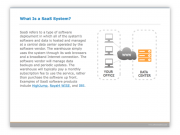 | Is Software as a Service (SaaS) Right for Your Warehouse?Make sure you fully understand the benefits and drawbacks of software as a service (SaaS) relative to traditional on-premise systems. ( 10 Pages PDF) | |
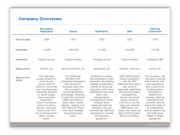 | Enterprise Warehouse Management Comparison GuideSelect the right warehouse management software by using this detailed side-by-side comparison of leading WMS systems. ( 6 Pages PDF) | |
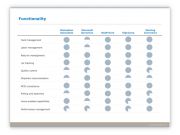 | Small and Mid-Size Warehouse Management ComparisonSelect the right warehouse management software by using this detailed side-by-side comparison of leading WMS systems. ( 6 Pages PDF) | |
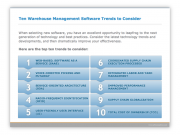 | Top Trends in Warehouse Management SoftwareLearn the top 10 trends to consider when evaluating WMS software. Our experts created this guide to get you up to speed quickly. ( 13 Pages PDF) | |
 | How to Assess Warehouse Management Vendors' ViabilityUse this viability guide to make sure the software company you choose will be in business to provide support and upgrades for years to come. ( 7 Pages PDF) | |
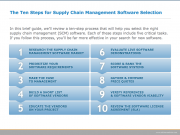 | Ten Steps Guide to Selecting the Right SCM SoftwareThis concise, step-by-step guide will help you organize your software selection process from initial research to contract negotiation. ( 13 Pages PDF) | |

ERP and Cloud Applications Strategies
There is an informative article on ERP and Cloud Applications Strategies at SoftwareAdvice.com. In the article, the author discusses the considerations of implementing the Suite of an ERP solution or doing a Best-of-Breed approach where a company would pick and choose the functionality from various vendors. Not so long ago, companies would only pick a suite and stay within its boundaries.
Now, however, companies are finding that moving to a varied vendor set, including a mix of traditional and cloud applications provides some advantages. This brings up some questions: How well does this work? What are some of the considerations you need to look at before making an investment in a cloud app? Let’s take a look at these issues.
Cloud Applications as a Best-of-Breed Approach
The typical scenario for many companies is one of adding a cloud CRM such as Salesforce.com, to their mix of in-house ERP applications. More often than not, Salesforce is acquired by the business users and IT does not even know of its existence until the business users ask for integrations to the back-end systems.
One concern for moving to Cloud Applications is that frequently, IT departments do not “get” cloud computing. In fact, they often see it as a threat. Because the applications are hosted elsewhere, there is little or no overhead required from an IT department. The IT department does need to be involved in Cloud Application selections and implementations so that they understand what will be implemented.
 Secondly, modern Cloud Applications such as Salesforce.com do not require traditional programming overhead.
Because it is configuration based, adding a field is as simple as filling out a form. If you find you don’t want that field, remove it. In traditional applications management, you would want to run this field addition in a sandbox, test it thoroughly to make sure it doesn’t break anything. In a cloud application, like Salesforce.com, you simply don’t expose the field to the users until you review it. You do not need to implement a sandbox to change configurable settings.
As pointed out above, IT departments frequently do not get this paradigm. They are used to code-upon-code where small changes make a big deal. In a configuration environment of a cloud application, there is little if any impact when configuration changes occur. Everything lives as metadata. Nothing touches the code.
Because many of the available cloud offerings are configuration driven, they are much faster to get up and running. Due to this, it often make sense to run an agile-like implementation of various releases (or sprints) of various best of breed applications coming on-line at different times. Not everyone chooses to do this, but a two or three-month release cycle of various solutions provides a way to move forward on systems quickly.
Integrating Cloud Applications with non-Cloud Applications
After configuration, integrations need to be defined and typically there are three options. First, you can manually export a csv file from the source system and upload it to the target system. This works for very basic updates. The next option is custom coding to push/pull the data from the APIs (Application Programming Interfaces). The last option is to use a Middleware product such as Pervasive, Informatica, or Boomi.
Traditionally, middleware was a separate application sitting on an on-premise server and it would transact the data between the source and target systems. It would also perform and data transformations that needed to occur to align the fields between the systems.
Now, there is a trend to going to Cloud-based middleware, such as with Informatica-on-demand. Like other cloud solutions, they come with a less expensive price tag and they do not require a full implementation on an on-premise server. Rather, what they do need is a small install of an “Agent” software that allows the cloud app to talk to the in-house solutions.
These middleware cloud applications work well, but they do have some limitations. First, since they are newer than the traditional software, they still have some bugs. Not a lot, but don’t be surprised if you run into one. Next, they have a more limited toolset than the traditional in-house solutions as the programming and scripting tools are not as robust (but they are getting better every day).
Moving forward with Cloud Applications
Using Cloud Applications has many benefits, including financial and technical reasons for approaching the platform. Often Cloud Apps can be charged as an expense monthly rather than being capitalized like large asset purchases. Further, you can buy as much or as little licensing as you need and scale up or down much more readily than a traditional application.
All-in-all, Cloud applications have tremendous benefits to organizations as part of a best-of-bread solution. For a smaller firm, an app like Netsuite may provide a complete solution, but for the larger enterprise, a “pick and choose” solution strategy may be a good way to go.